1.Overview
My Business Product is a self-hosted business operations panel, built on Laravel 13 and Filament 3. It runs entirely on your own server — nothing about your catalog, your customers or your API keys ever passes through a third-party server operated by the author.
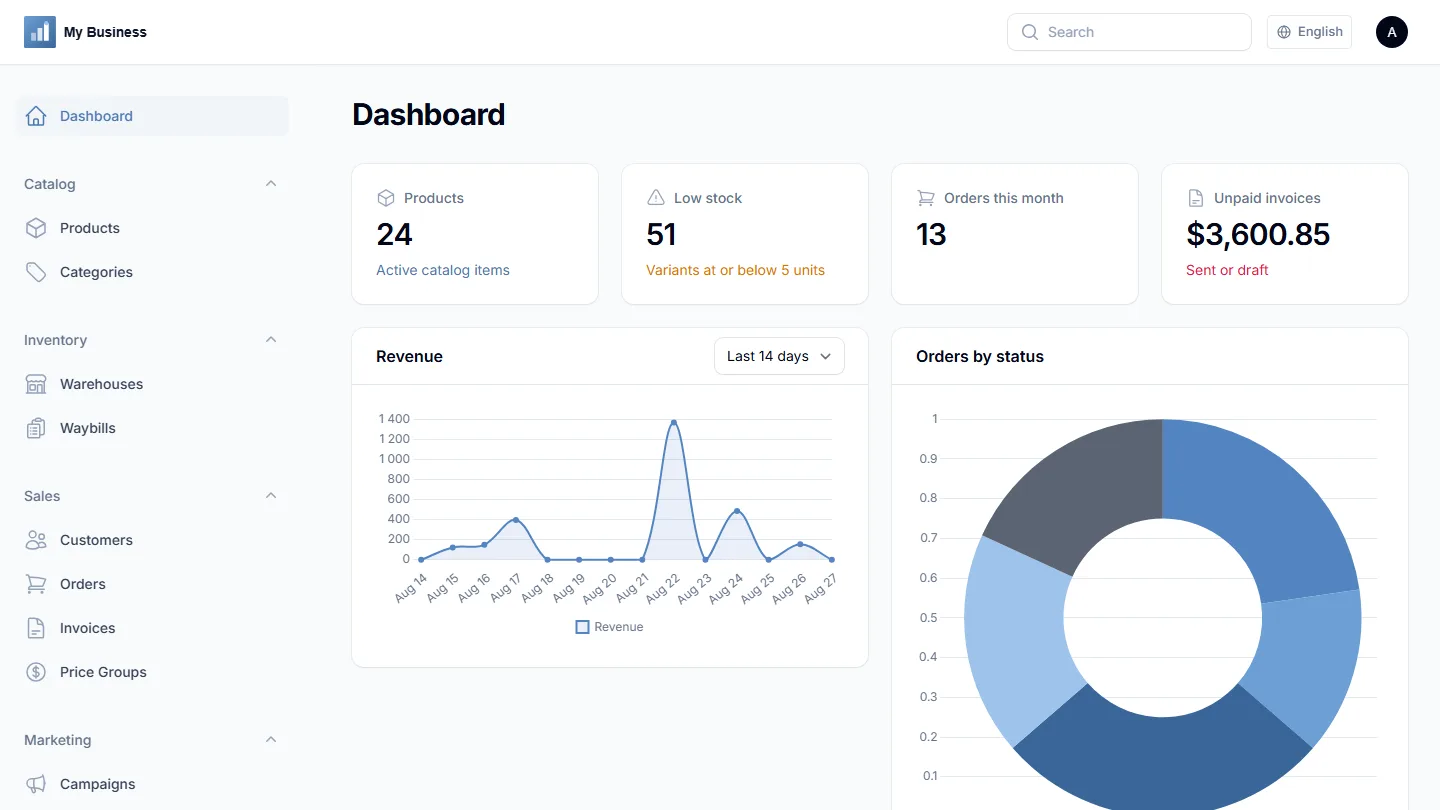
In one panel: a product catalog with variants and custom attributes, multi-warehouse stock, waybills, orders, invoices with real working payment links, a public storefront, and connections to the payment gateways, ad platforms and marketplaces you actually use.
2.Requirements
- PHP 8.3 or newer
- MySQL 8+ (the install wizard creates the database for you if your database user has permission to)
- Composer
- PHP extensions:
pdo_mysql,mbstring,openssl,gd,fileinfo,tokenizer,ctype,bcmath storage/andbootstrap/cache/writable by the web server- Any standard Laravel-compatible host: shared hosting with SSH/Composer access, a VPS, or a managed Laravel platform
3.Installing — web wizard (recommended)
Upload the project files, point your web server's document root at /public, then visit your domain. You'll land on the install wizard at /install, available in 15 languages via the switcher in its sidebar.
- Server check — confirms your PHP version, required extensions, and that
storage/,bootstrap/cache/and the project root are writable. - Database — enter your MySQL host, port, database name, username and password. The wizard tests the connection, creates the database if it doesn't exist, and writes these settings to your
.envfile. - Set up tables — runs migrations and seeds the base data (roles and permissions, default warehouse, price groups) — the exact same seeder used by
php artisan db:seed. - Your login — create the name, email and password for your Owner account.
- Company details — business name, address and invoice email, shown on customer-facing invoices and payment pages.
- Done — the wizard writes
storage/installed.lock;/installbecomes inaccessible from then on.
Sign in at /admin with the account you just created.
example.com/shop/)? Two ways to do it, depending on what your host lets you control:
- You can set a custom document root (most VPS/cloud hosting, and many shared hosts via an addon domain or subdomain): point it at
<that folder>/public, same as any other install — no extra steps, works on Apache, nginx, or LiteSpeed equally. - You can't (common on basic shared hosting, where the domain's document root is fixed): a root-level
.htaccessships in the download that transparently forwards requests intopublic/for you. This only works on Apache or LiteSpeed — nginx doesn't read.htaccessfiles at all. If your host runs plain nginx and you can't set the document root, ask them to add a rewrite equivalent torewrite ^/(.*)$ /public/$1 last;inside that site'slocation /block, or request document-root access instead.
4.Installing — manual / SSH (advanced)
- Copy
.env.exampleto.envand fill in your database and mail settings. - Run
composer install --no-dev --optimize-autoloader - Run
php artisan key:generate - Run
php artisan migrate --force - Run
php artisan db:seed --class=DatabaseSeeder --force - Run
php artisan storage:link(so uploaded images resolve correctly) - Create
storage/installed.lock, or complete the admin-account step through the wizard, so the install routes stay closed. - Visit
/adminand sign in.
5.First steps checklist
The Dashboard's "Business start checklist" tracks this for you in real time, but the short version:
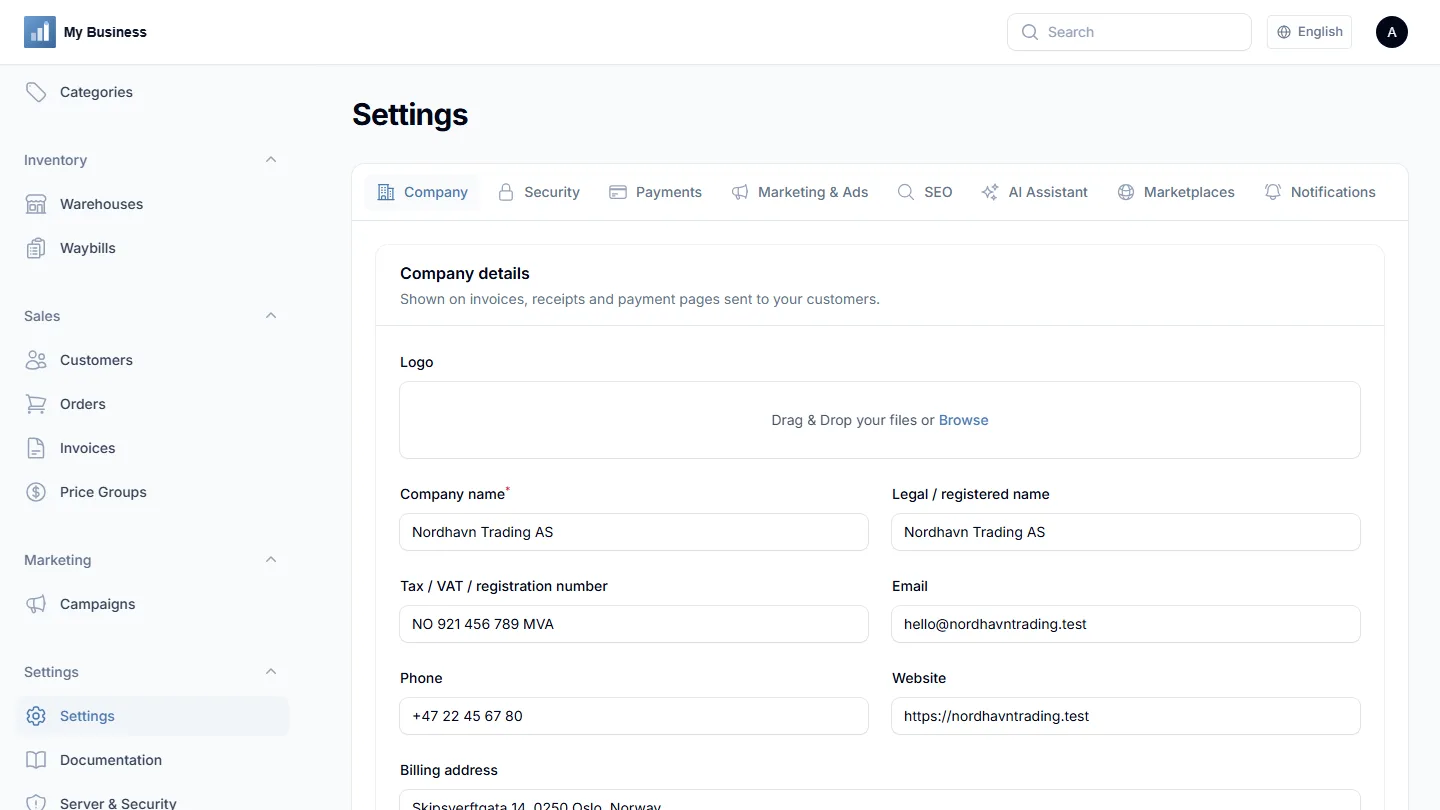
- Fill in your company details in Settings → Company if you skipped it during install.
- Confirm your first warehouse exists under Inventory → Warehouses (one is created automatically).
- Add your first product under Catalog → Products, with at least one variant, a price and a starting stock quantity.
- Connect the payment gateways and integrations you'll actually use — every one is optional and off by default.
- New to the sidebar? Settings → Documentation → Panel Tour is a one-screen overview of every menu item with a short description and a direct link.
6.Catalog & stock
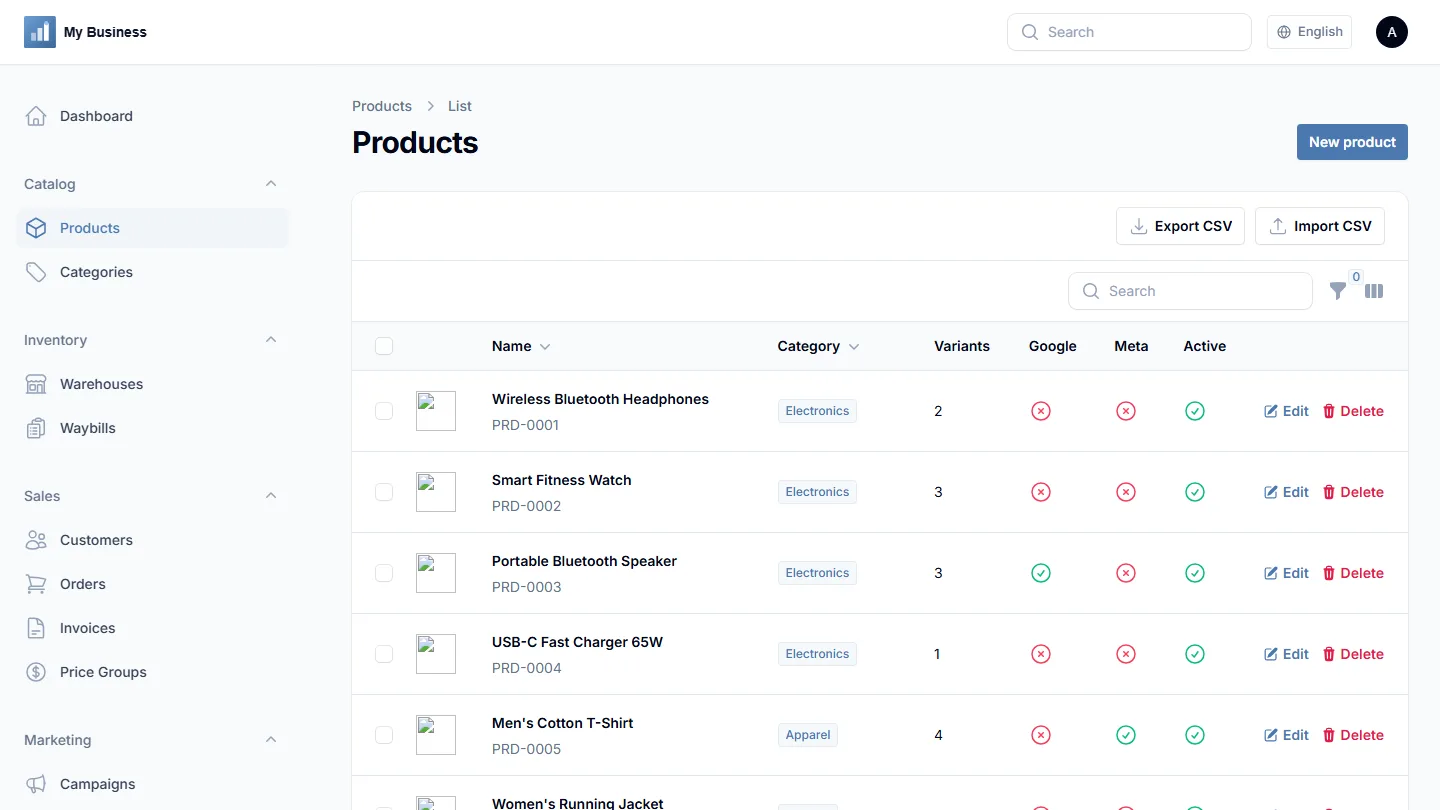
A product is the shell — name, category, brand, description, a cover image plus optional reorderable gallery images (shown as a click-to-switch thumbnail strip on the storefront). A variant is what actually has a price, SKU and stock: "Red / L" and "Blue / M" are two variants of one product. Variants also support custom attributes — any field name and value you need (color, size, material) — which double as filters on the public storefront.
Stock is tracked per warehouse, not as one global number. Waybills (incoming, outgoing, transfer) are how stock moves in, out, or between warehouses. Products and variants can each carry a barcode — the Products list searches it directly, and both waybill and order line items have a "Scan barcode" button so a USB/Bluetooth scanner adds a line straight from the code, no dropdown search needed. A product can also carry optional documents — datasheets, drawings, specifications, manuals — shown as downloads on its storefront page. Every uploaded image (product photos, company logo) is automatically converted to WebP on the way in, so nobody has to remember to compress anything by hand.
A waybill starts as a draft you can edit freely — add, remove or change lines and quantities. Stock does not move until you confirm it, so a delivery can be typed up before it arrives and only affects real numbers once the goods are actually in hand. Confirming an incoming waybill adds its quantities to its warehouse, an outgoing one takes them away, and a transfer removes them from one warehouse and adds them to another in a single document. Cancelling a confirmed waybill puts the goods back.
Every one of those changes is recorded as a stock movement: which warehouse, which variant, which direction, how much, who did it, and which waybill caused it. Open any waybill and its Stock movements tab shows exactly what that document did — two rows per item for a transfer, plus the reversing rows if it was later cancelled, so the history reads as what happened rather than only what is true now. Those movements are what the stock figures on the Dashboard and the Warehouses screen are built from, so any number can be traced back to the documents behind it. Reserved quantity is separate: it is stock held for an order that has not shipped yet, and waybills never touch it.
Retail, wholesale or custom price groups can be assigned per customer, so the same product can carry different prices for different buyers.
7.Orders & invoices
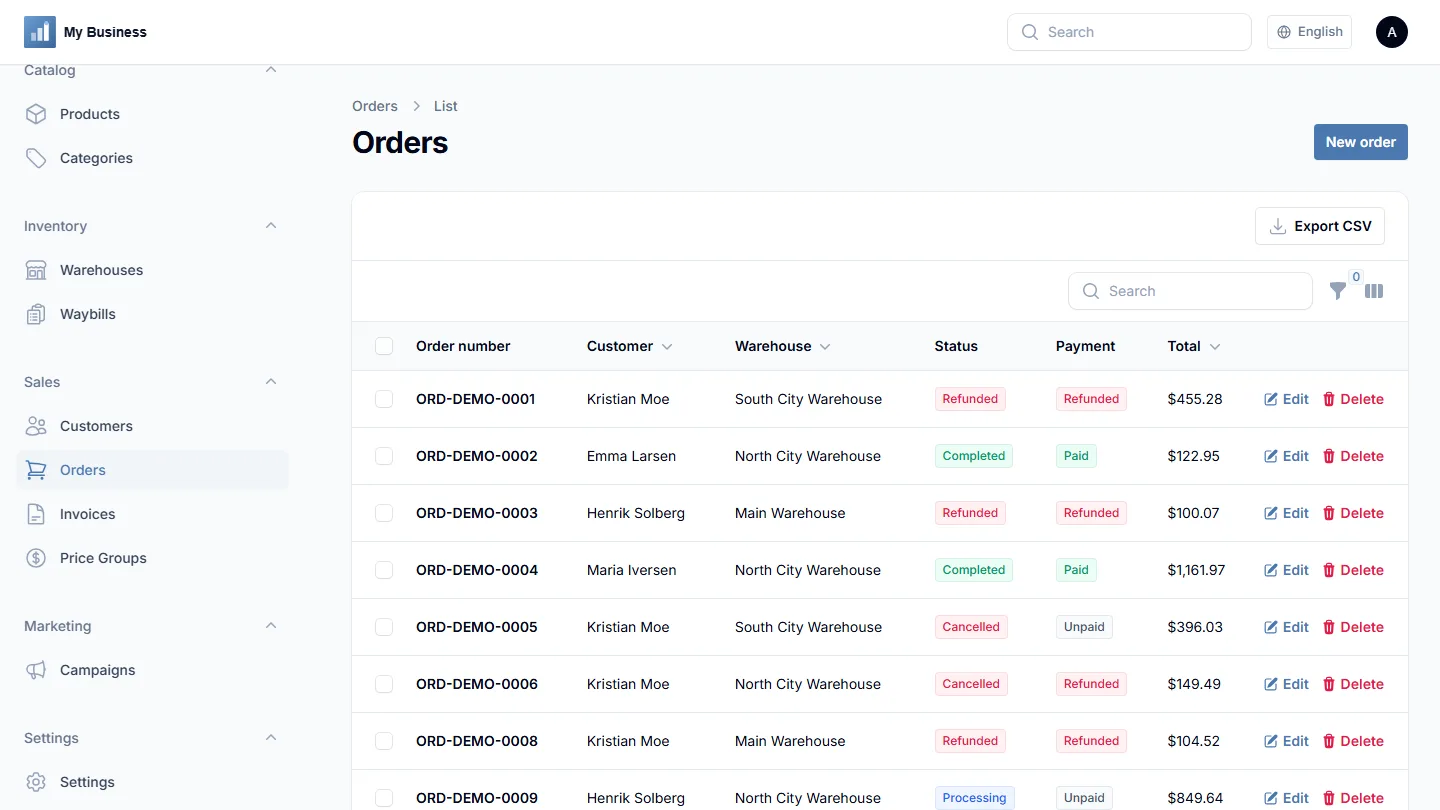
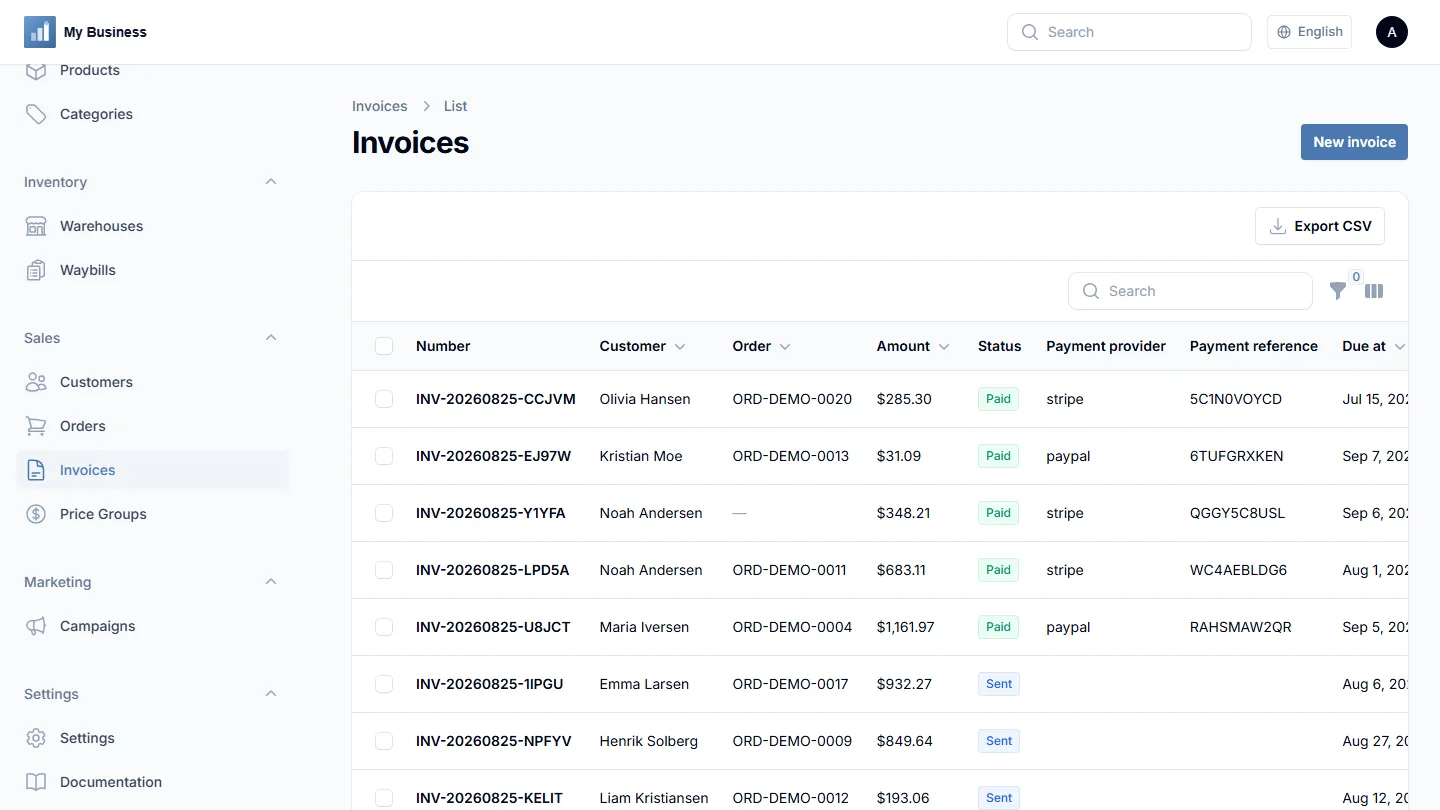
An invoice is different from a waybill: a waybill moves goods, an invoice asks for money. Every invoice gets a tokenized public payment page — a link you can send on your own domain — with a "Pay" button for every payment gateway you've enabled, and a downloadable PDF (A4). Placing an order (from the storefront or the admin panel) reserves stock automatically, so "available" quantity and low-stock alerts reflect real, committed sales.
8.Roles & security
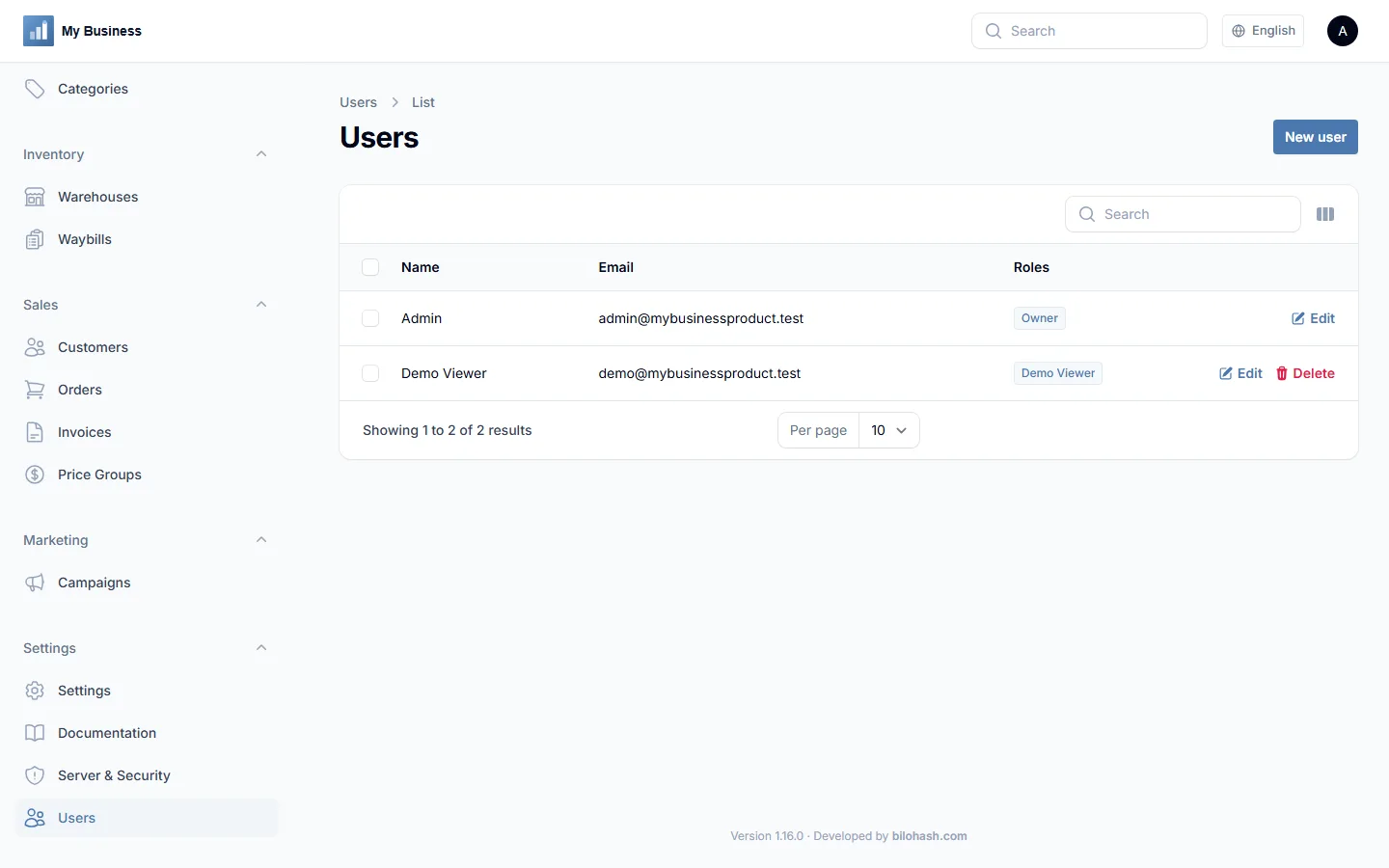
Six roles ship by default: Owner, Manager, Warehouse Staff, Accountant, Sales Manager and Marketing Manager. Permissions are enforced on every module server-side, not just hidden in the menu — an account that guesses the URL for a module it can't use is still refused. Manage teammate logins and role assignments from Settings → Users.
Two-factor authentication (TOTP — Google Authenticator, Authy and similar apps) is available for any admin login from Settings → Server & Security, with a locally-generated QR code and recovery codes — nothing routes through a third-party SMS or push service.
Settings → Server & Security also gives a look at your server environment, a security checklist (debug mode, HTTPS, demo mode, mail delivery and more), a localhost-only check of common service ports, and two one-click actions for the moments something looks wrong: toggling debug mode (with a clear warning about what it exposes) and clearing the application cache — both without needing SSH or artisan access.
9.Public storefront
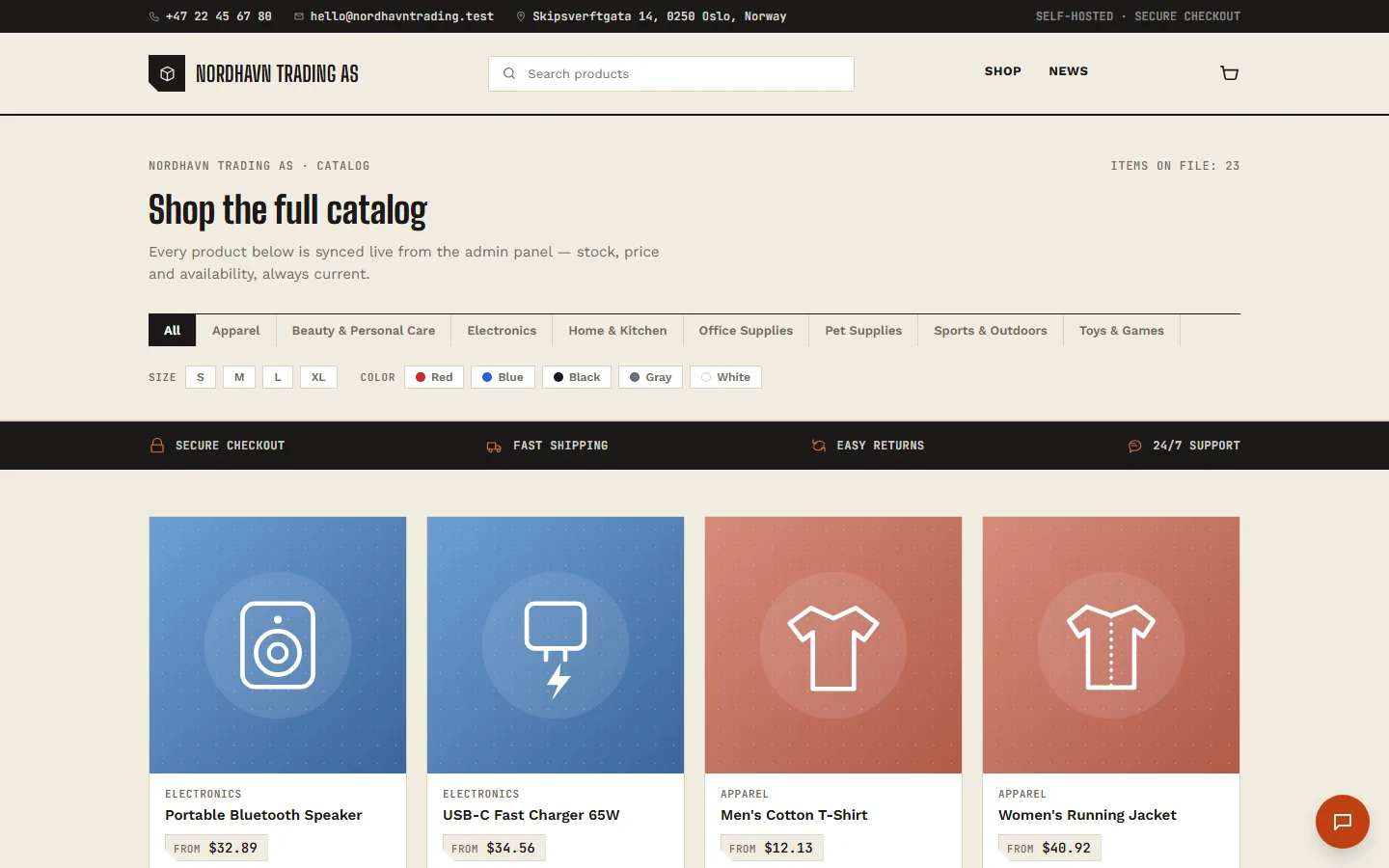
A public, customer-facing storefront lives at /shop — separate from both the admin panel and the marketing landing page. Anyone can browse your catalog, filter by category or custom attribute, add items to a cart and check out without an account, choosing from whichever payment gateways you've enabled. Two included themes ("default" and "minimal") are switched with one config value.
The whole storefront can be taken offline without touching anything else, from Settings → Company → Public storefront — invoice payment links and the admin panel keep working as normal.
A News section ships alongside the catalog: write articles in Marketing → News (title, excerpt, a rich-text body, an optional cover image, a schedulable publish date, an optional language tag, and its own SEO title/keywords/description fields with the same AI-generate button and length gauge products and categories have). An article with no language shows to every visitor; a language-tagged one shows only to visitors reading the storefront in that language. Published articles appear two places automatically — a text-only "Latest news" strip on the homepage (title and date, no images by design) linking through to a full, illustrated list at /news, where each article gets its own page. Ten sample articles about this product's own features are seeded on a fresh install, and the "Built-in integrations" row on every marketing landing page links each badge (Google Merchant, Google Ads, Meta Catalog, Meta Ads, TikTok Ads, Amazon, eBay, Shopify, WooCommerce, Stripe, PayPal, LiqPay) to a News article explaining how that integration works — one article per integration, written in all 15 languages.
10.Payment gateways
Each gateway lives in Settings → Payments. Fill in its fields with your own account's credentials, switch it on, save — the invoice payment page and the storefront checkout then both offer every gateway you've enabled. Every one of the eleven below is a fully working, live checkout in this version, and every payment is only marked paid after a signed, verified webhook — never a bare "thank you" redirect. The last three each target one specific market's dominant local payment method: iDEAL for the Netherlands, Pix for Brazil, and GoPay/OVO/QRIS for Indonesia.
11.Marketing & ads
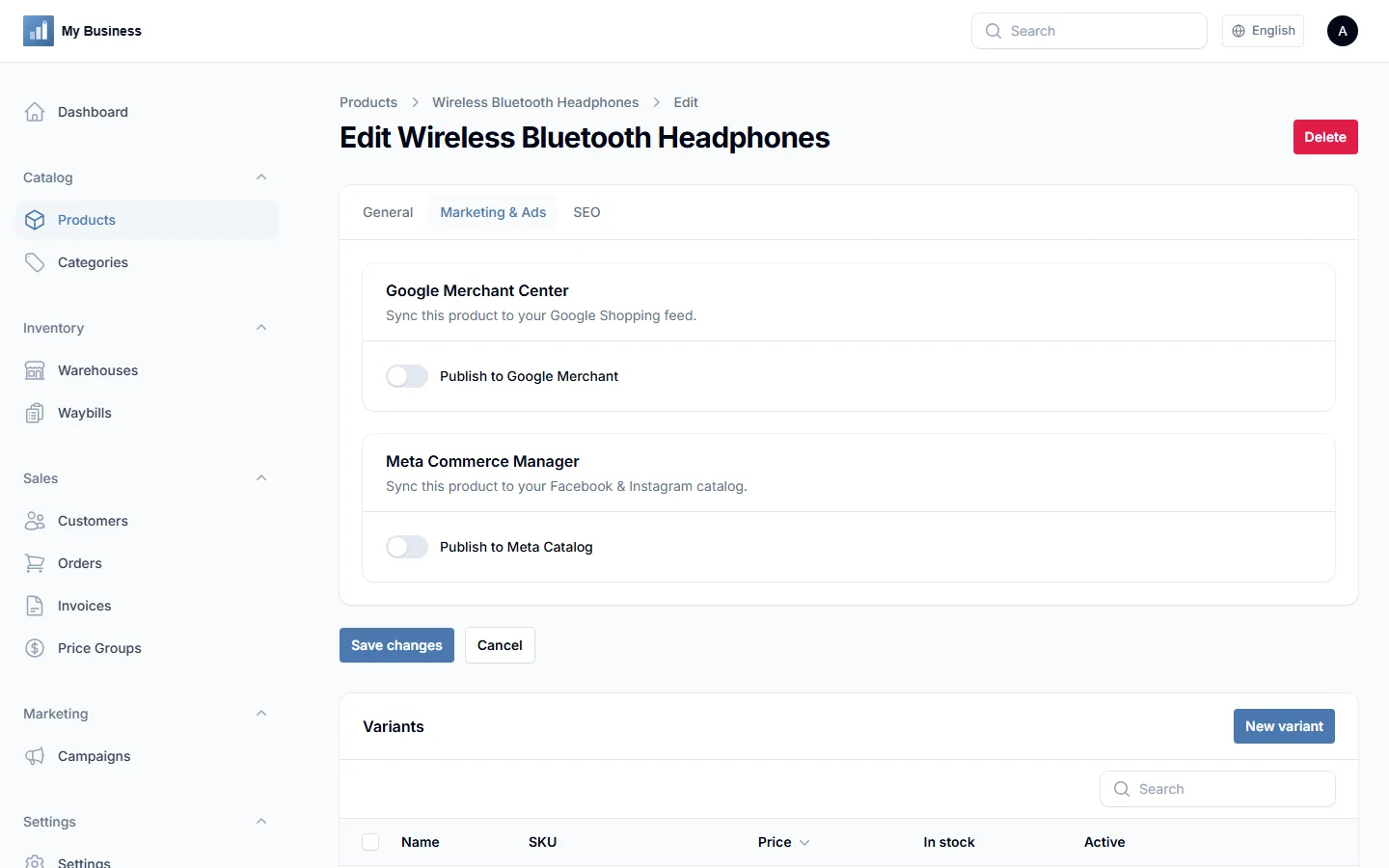
These live in Settings → Marketing & Ads.
| Platform | What it does |
|---|---|
| Google Merchant Center | Live product sync — toggle "Publish to Google Merchant" on any product |
| Meta Commerce Manager | Live product sync — toggle "Publish to Meta Catalog" on any product |
| Google Ads | Connection check + recent campaign performance (campaigns are still built in Google Ads) |
| Meta Ads | Connection check + recent campaign performance (campaigns are still built in Meta Ads Manager) |
| TikTok Ads | Connection check + active campaign count (campaigns are still built in TikTok Ads Manager) |
12.Marketplaces
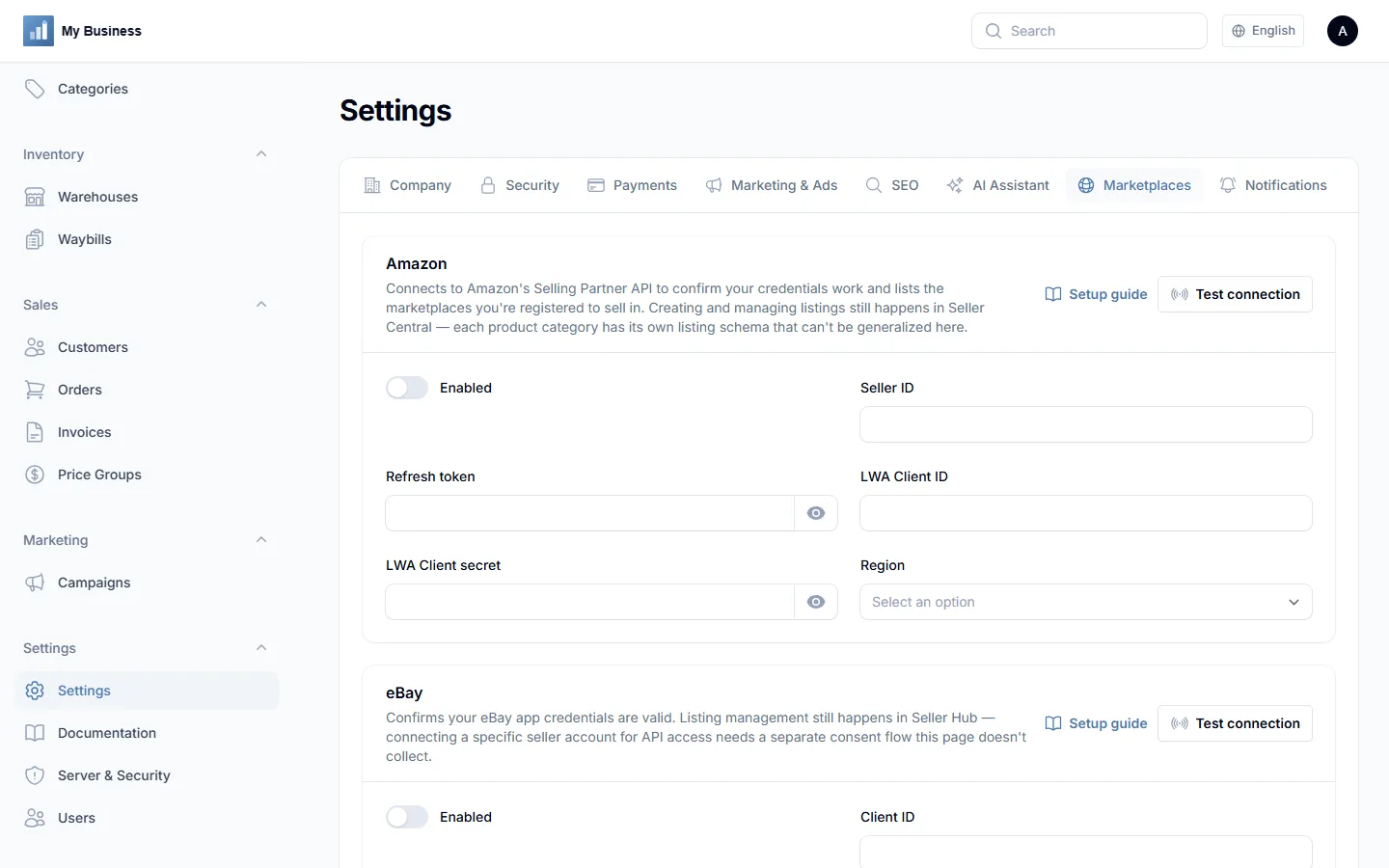
These live in Settings → Marketplaces. Six of the seven have a working "Test connection" check that confirms your credentials are valid and the account is reachable — a few report something concrete back (Amazon shows your registered marketplaces, WooCommerce counts products in that store). Amazon, eBay, Shopify and WooCommerce also support pulling your existing catalog in: once connected, Catalog → Products' single "Import products" button lets you pick the source (CSV file, or one of those four marketplaces) as the first step of its own form — every source matches by its own identifier (platform product ID, or SKU for CSV) so re-running an import updates instead of duplicating. Amazon's import works in two steps rather than one, since Amazon only exposes your full listing data through an asynchronous report — run it once to request the report, then run it again once it's ready (usually seconds to a few minutes) to pull it in. eBay's import needs a refresh token in addition to the app Client ID/Secret (see the help text on that section) — Client ID/Secret alone only prove the app itself is valid, not that a specific seller's inventory is reachable. PrestaShop and Wix don't sync listings yet — there's no per-product tracking field for those the way Google Merchant/Meta Catalog have, so creating and managing listings there still happens on each marketplace directly.
13.Notifications
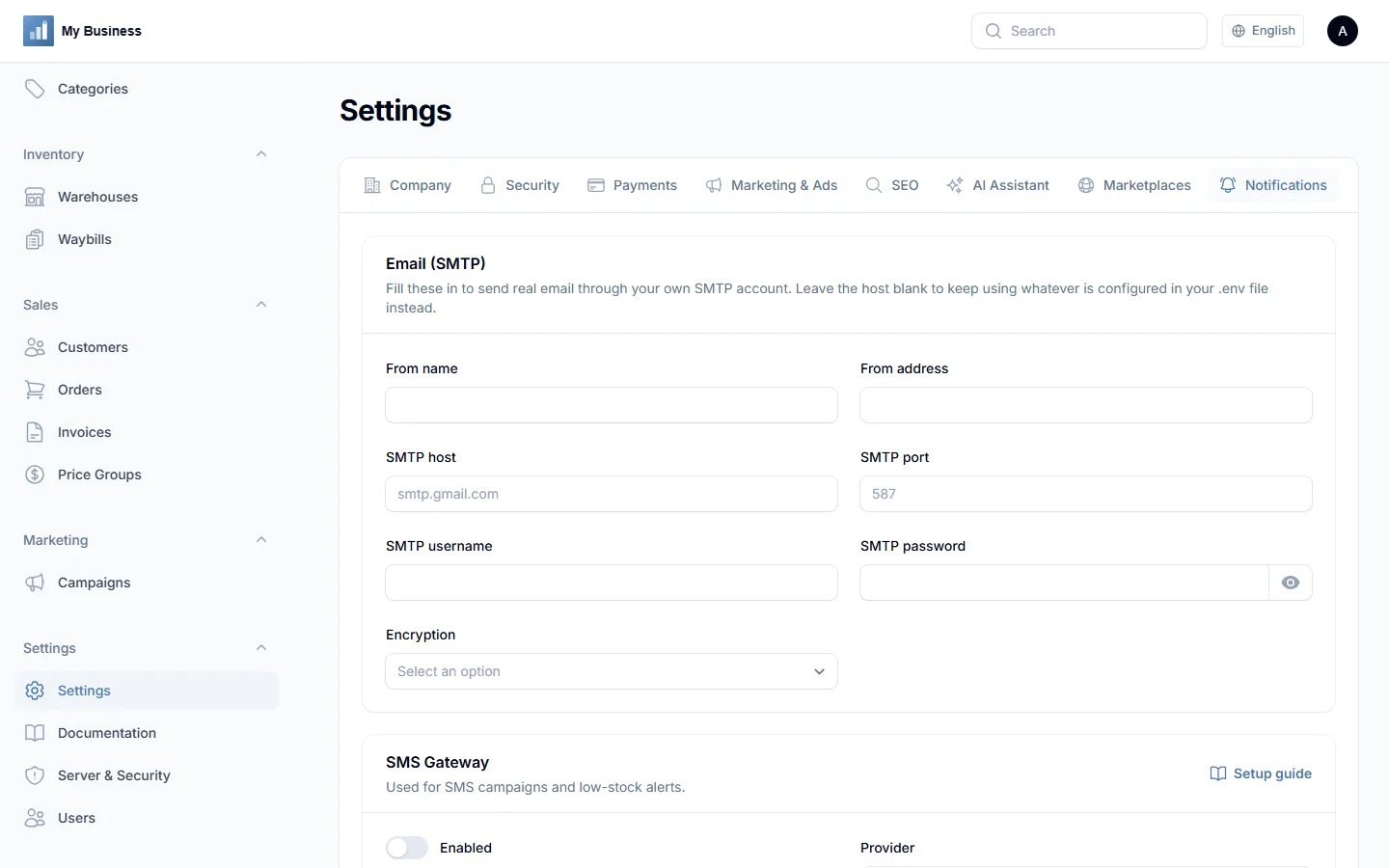
Settings → Notifications powers the campaigns module and low-stock alerts: full SMTP settings for real outgoing email (host, port, username, password, encryption), an SMS gateway (Twilio, TurboSMS or SMS Club), and a Telegram bot for order and low-stock pushes.
14.SEO & AI assistant
Settings → SEO controls how your storefront and front page appear in search results and social shares: a title suffix, a default meta description and keywords, an Open Graph image, Search Console verification, an Analytics ID, and a sitemap.xml toggle. This isn't just credential storage — the storefront actually outputs meta description, Open Graph and Twitter Card tags, and Schema.org JSON-LD (Product on each product page with live price/stock offers, NewsArticle on each news article, BreadcrumbList, WebSite and Organization on the front page) on every request, and /sitemap.xml + /robots.txt are real routes, not static files. Products, categories and news articles can each override the title, description and keywords from their own edit screen — and every one of those SEO fields, on every resource, gets the same "Generate with AI" button plus a live length gauge (green/amber/red, showing at a glance whether a title or description is a good length for search results).
Settings → AI Assistant — bring your own Anthropic, OpenAI or xAI API key to power the "Generate with AI" buttons next to product descriptions and SEO fields, and an optional storefront chat widget. Nothing is sent anywhere until you add a key.
The chat widget is off by default — turn it on in the same "AI Assistant" tab once you've written a system prompt (who the assistant is, what it should and shouldn't help with, your tone). It reuses whichever provider/model/API key is already configured above; there's no separate key to add. It's stateless — each conversation lives only in the visitor's browser tab and isn't saved anywhere on your server — and nothing about your catalog is sent to the AI provider automatically, only what's in your system prompt and what the visitor types. The endpoint it talks to is rate-limited tighter than the rest of the storefront, since every message is a real API call the configured provider bills for.
15.Languages
The admin panel, install wizard, public storefront and marketing landing pages are all available in 15 languages: English, Ukrainian, Norwegian, Swedish, Lithuanian, German, Spanish, Portuguese, French, Polish, Italian, Turkish, Dutch, Indonesian and Brazilian Portuguese (a separate translation from European Portuguese, not a duplicate). Switch languages from the globe icon in the admin topbar or on the install wizard. A visitor who lands on a language's own marketing page (e.g. /de, /pl) carries that language through to the storefront and News too — product pages, cart, checkout and news articles tagged for that language all follow it, rather than reverting to English past the landing page. In-app documentation currently covers all languages except Dutch and Indonesian, which fall back to the English guides for now.
16.External services
Two services are called automatically, on every page load, by the Filament admin framework this product is built on:
- fonts.bunny.net — serves the "Inter" interface font in the admin panel. Bunny Fonts is a privacy-focused, GDPR-compliant alternative to Google Fonts.
- ui-avatars.com — generates a simple initials avatar for the signed-in admin when no profile photo is uploaded.
The public storefront's cart/filter interactivity (Alpine.js) is bundled and served from your own server — no CDN call.
Every other external connection is entirely optional and only happens if you paste your own credentials into Settings and switch it on — payment gateways, marketing platforms, marketplaces, notification channels, and the AI writing assistant. None of these route through any server operated by this product's author.
17.Troubleshooting & FAQ
Uploaded images (logo, product photos) return a 404
Run php artisan storage:link — the install wizard does this automatically, but a manual install needs it run once.
The install wizard's requirement check keeps failing
Missing PHP extensions are usually enabled from your hosting control panel under "PHP Selector" or "PHP Extensions". A wrong PHP version means switching the PHP version for this domain in the same place — ask your host's support if you don't see that option.
A payment gateway's webhook never marks an invoice paid
Confirm the webhook URL shown in Settings for that gateway is registered on the gateway's own dashboard, and that your server is reachable from the public internet (not behind a firewall blocking inbound requests) — local/dev environments need a tunnel (e.g. ngrok) to receive real webhooks.
Can I use this for more than one business?
The Regular License covers one live business/end product. Use the Extended License for client projects — see PRODUCT_DESCRIPTION.txt for exact terms.
How do I protect the site against traffic floods/DDoS?
Every public route (storefront, checkout, payment pages, webhooks) already has rate limiting built in, but that only protects the app once a request has reached PHP — real flood/DDoS protection has to happen in front of the server entirely, with a CDN/WAF like Cloudflare. If you do put one in front, set TRUSTED_PROXIES in .env (see the comment above it in .env.example) — without it, every visitor's IP looks identical to the app (the proxy's), which silently breaks every one of those rate limits instead of strengthening them.
18.Support & license
Regular License includes 6 months of support and free updates. Extended License includes 12 months of priority support. See the item page on CodeCanyon for how to reach support, and LICENSE.txt / PRODUCT_DESCRIPTION.txt for full license and trademark terms.
Stripe, PayPal, LiqPay, Fondy, WayForPay, Vipps, MobilePay, Paysera, Revolut, Mollie, iDEAL, Mercado Pago, Midtrans, Google, Meta, TikTok, Amazon, eBay, Rozetka, Shopify, WooCommerce, PrestaShop, Wix, Twilio, TurboSMS, SMS Club, Telegram, Anthropic, Claude, OpenAI, ChatGPT, xAI and Grok are trademarks of their respective owners, named here only to describe compatibility — this product is independent and not affiliated with, sponsored by, or endorsed by any of them.